Migrating Off Azure Document Intelligence Without Rewriting Your Extraction Pipeline
Replace Azure Document Intelligence without rebuilding your entire extraction pipeline.
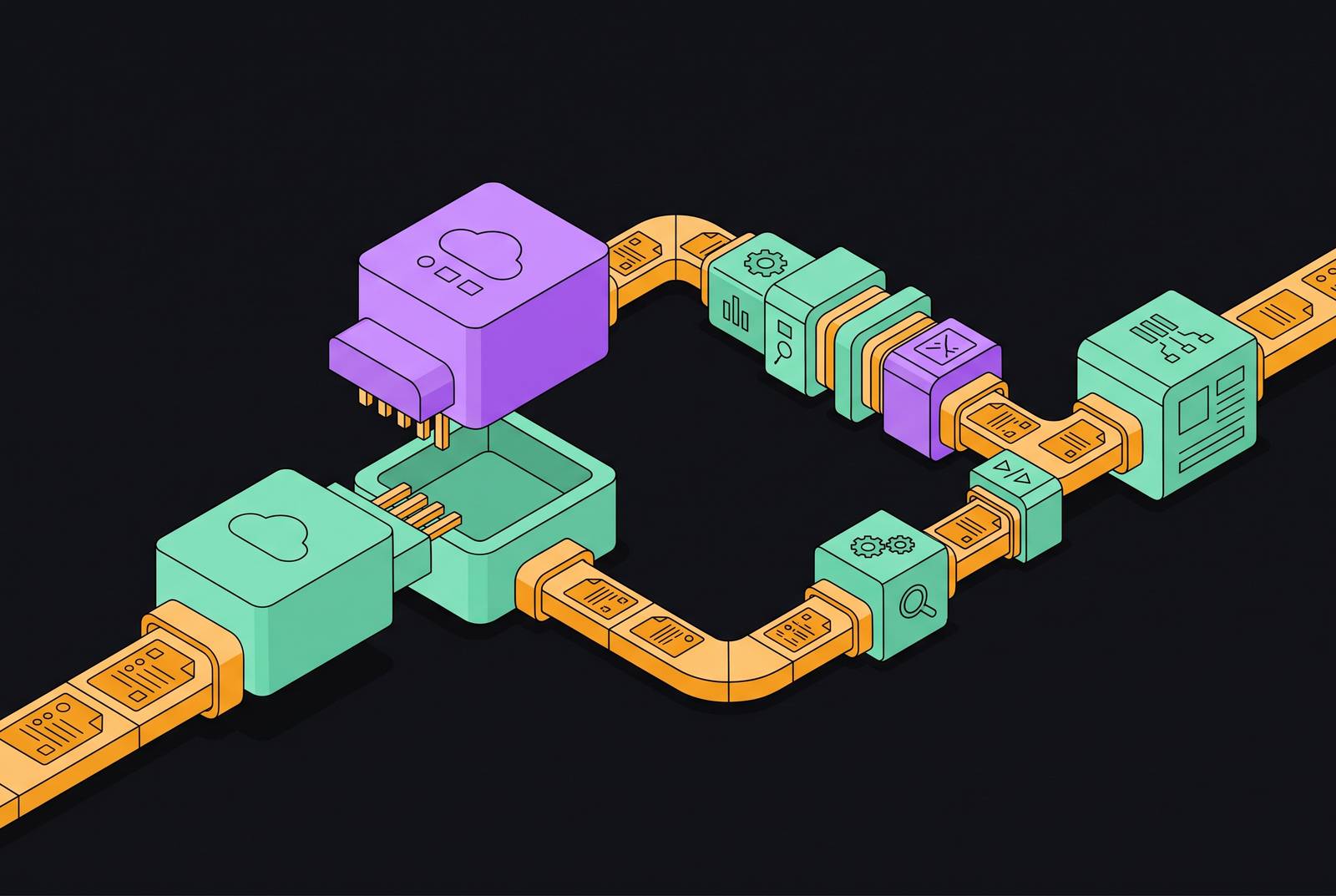
Migrating off Azure Document Intelligence requires replacing the Azure-specific integration points while keeping the surrounding system intact. For production teams comparing alternatives, including Invofox, the decision should turn on throughput, document coverage, field-level accuracy commitments, and data retention.
Why teams are being forced to evaluate Azure Document Intelligence right now
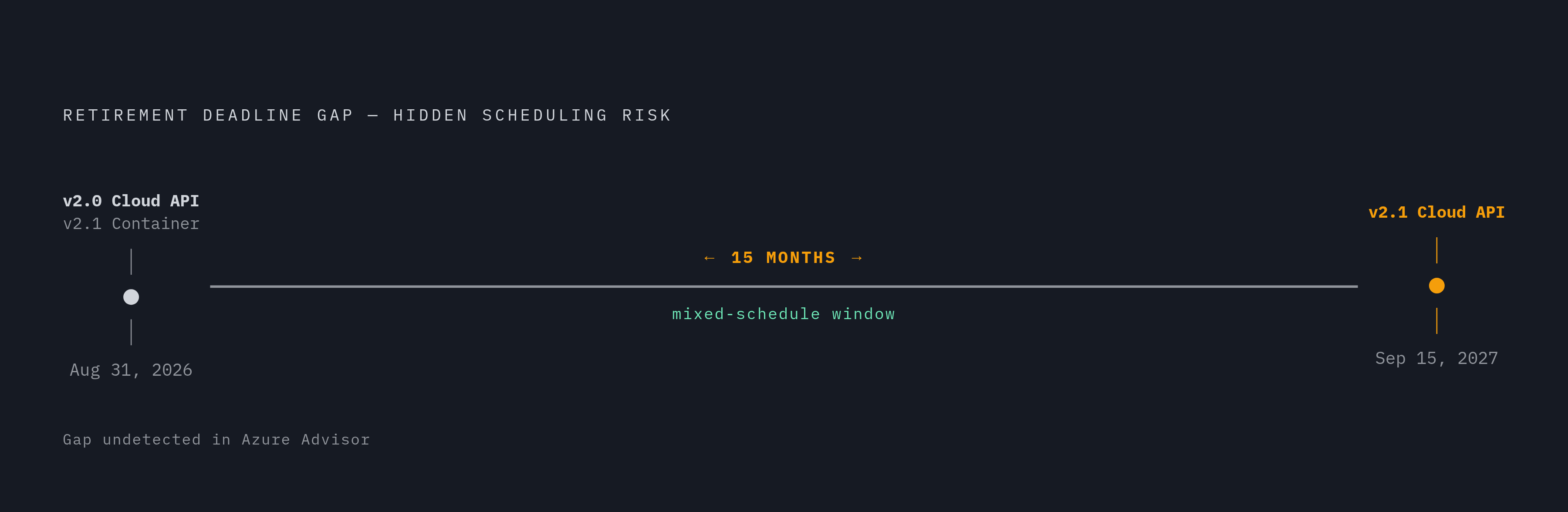
Microsoft's retirement schedule sets different deadlines for different deployments. The Azure AI Document Intelligence v2.0 cloud API and v2.1 container retire on August 31, 2026, but the v2.1 cloud API stays in use until September 15, 2027. That distinction matters because a team can have callers on different schedules without knowing it. Retirement-alert coverage is incomplete, and a clean Azure Advisor pane does not establish that every workload is safe. The impacted-resources field for the v2.0 retirement is listed as unavailable or pending.
Microsoft's container matrix shows that v4.0 covers only Read and Layout, while the containers for ID Document, Receipt, and Invoice are still at v3.1. The v3.0 containers carry broader coverage, including General Document, Business Card, and Custom, which the later container sets do not replicate. The migration path therefore depends on both the version and the deployment type. An old script-driven workflow, vendor-maintained connector, low-code integration, or infrequent batch job may be the caller missing from that picture.
Doing the inventory before writing a single line of migration code
Start discovery across source code, configuration files, deployment templates, build pipelines, and operational scripts. For each dependency, record the calling application, endpoint type, model, API or container version, authentication method, owner, and deployment environment. Also record whether the workload can be tested without production documents. This is an inventory of running dependencies and recovery paths.
Teams need to check containers on their own because an internal service name can hide the image version in use. Inspect Docker and Kubernetes live workloads as well as stored manifests. A retired image tag left in a disaster-recovery template can return on the next rollback. An unused template still matters if it remains the documented recovery path. The resulting inventory, rather than the newest version number, determines which workloads can move and where.
The same record should flag sensitive workloads, including invoices, payslips, contracts, and other documents containing financial or personal information. Any replacement should have zero data retention by default and process documents statelessly, without storing or keeping them. That posture is standard for Invofox. Recording this requirement now keeps the replacement decision tied to the actual documents the pipeline handles.
The architectural problems in Azure Document Intelligence that upgrading to v4.0 does not fix
Once the dependencies are visible, the next question is whether an in-family upgrade addresses the production constraints. Mandatory polling survives the move to v4.0. Poll faster and requests run into rate limits, but poll slower and completion latency rises. Each active operation needs repeated GET requests, so the GET limit puts a ceiling on throughput. Large documents make this harder because chunking adds page-offset tracking and result reassembly while parallel chunks increase polling pressure.
Working around that ceiling can require deployments across multiple regions and Azure subscriptions. The team then owns an orchestrator that balances POSTs, tracks GET usage separately, and handles regional failures. Teams also have more to monitor when a region slows down and latency and errors rise without showing up in service dashboards. Meeting production latency targets then requires per-region latency and error tracking, anomaly detection, and automatic failover.
Microsoft's Azure Document Intelligence known issues, published June 2026, also lists what the extraction pipeline cannot handle. Tables with different orientations on one page are unsupported because the pipeline generates one rotation angle per page. Nested tables yield only the outermost table structure, and custom models do not bypass that limit because layout comes first. Single-row tables are not classified as tables by design, so their content appears in paragraphs or keyValuePairs outside the tables array. Downstream code must handle table content in these different places.
Visually similar characters such as 1/l and O/0 remain ambiguous, and dash characters can be returned as the digit 1, with no model-level workaround. Post-processing must include field validation and checks of per-word confidence. Superscript formatting is also unrecognized, with bounding-box coordinate comparison offered as a mitigation. These are reasons to evaluate production extraction APIs, including Invofox, against synchronous processing and custom document-schema requirements rather than treating a newer version as an architectural fix.
Where Azure's prebuilt model coverage ends and what falls through the gap
The prebuilt catalog covers approximately 14 document types. Outside that catalog, the path is Custom Extraction, the highest-priced tier, which requires labeled training data and bills separately for training beyond the included monthly hours. Coverage therefore has both an engineering cost and a pricing consequence. A document type that looks like a small addition to intake can become a separate labeling and training obligation.
Even a covered type can vary far beyond the examples used to train a prebuilt model. Invoices can have different layouts depending on the supplier, region, or time period they come from. Custom Extraction also struggles when layouts vary widely, label sets are small, or context determines where fields appear on the page. The coverage gap is therefore not just the set of document names missing from the catalog. It includes the variation within each name, which teams can assess before choosing a migration target.
Confidence scores express model certainty and therefore do not close that gap. When scores fail to distinguish correct from incorrect extractions, they cannot reliably trigger human review. A missing field can fail a required-field check, while a plausible wrong value can pass downstream and surface much later in the ledger. In regulated work, responding to changing layouts with repeated labeling and retraining is also an ongoing project.
How do you replace Azure Document Intelligence without rewriting the pipeline
The scope of those problems does not imply that the whole pipeline must go. Document capture, ingestion, image preprocessing, classification, and splitting are not inherently tied to Azure Document Intelligence. Neither are the human review queue, validation interface, internal output schema, or downstream integrations. Operations, monitoring, and alerting infrastructure can also transfer, even where service-specific measurements need to change. The extraction engine is one layer inside that larger system.
The tight coupling sits at a smaller set of boundaries. Azure credentials, managed identity, and regional endpoints belong to the authentication boundary. The polling loop and operation-ID tracking belong to the request lifecycle, while field names, confidence structures, and bounding-region formats belong to the response contract. Model identifiers such as prebuilt-invoice and prebuilt-layout are service-specific too. SDK calls such as begin_analyze_document and poller.result() expose those conventions directly in application code.
The migration should replace authentication and the request lifecycle, then map the replacement response into the pipeline's internal field schema. That lifecycle may become synchronous processing, an asynchronous flow, or a webhook pattern, depending on the replacement. Coverage still needs validation for every document type previously handled by a prebuilt model. Teams that use Azure field names throughout their downstream logic will have more to remap than teams that have written down their internal schema. Adding an extraction-engine adapter now confines that coupling and makes later swaps closer to a configuration change, without removing the need to validate results.
What an accuracy SLA actually means and why it changes the migration calculus
A clean adapter answers how to switch, but not whether the new extractor deserves trust. For a given document and JSON schema, the extractor returns values for individual leaf fields. A validation layer should connect each value to a verifiable location on the page and decide whether to accept it or route it to human review. The goal is to accept as much work as possible while keeping errors below a chosen threshold. Raw confidence alone does not establish that threshold.
Grounding matters because a page anchor gives the validation decision something verifiable. A score that is not calibrated to that evidence cannot reliably separate a correct extraction from a confident mistake on an unfamiliar layout. Does the service ground field values, improve as the document population changes, and put measurable accuracy in the contract.
Azure Document Intelligence has no per-field accuracy SLA, so the team bears the risk of extraction errors. Invofox offers a guaranteed per-field SLA model and pay-for-correct-results pricing, so teams can seek an accuracy commitment in the contract as well as a match on features. That commitment belongs beside document coverage and grounding in the evaluation. For regulated workloads, zero data retention, SOC 2, GDPR, ISO 27001, and deployment-boundary options also need confirmation before production use.
The build-vs-buy decision for teams evaluating a full pipeline replacement
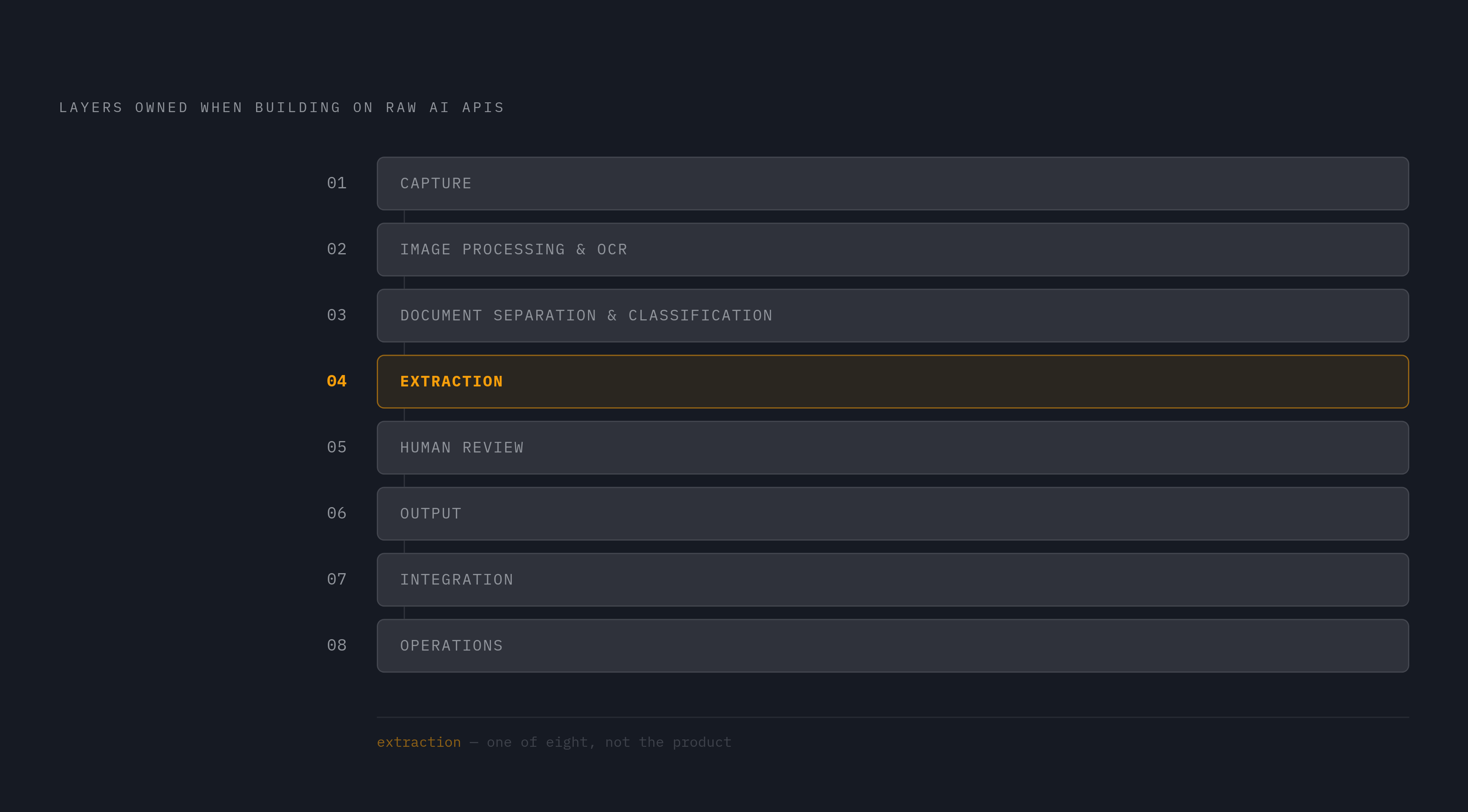
When teams leave a vendor, building on raw AI APIs can look like a good choice. The apparent saving comes from treating the LLM or OCR call as the product, although it is only one of eight layers. A full build includes capture, image processing and OCR, document separation and classification, extraction, human review, output, integration, and operations. Each layer needs work to keep up as documents and requirements change. Parts of the existing pipeline may carry over, but teams that own the extraction stack take on work that managed extraction was meant to handle.
Self-hosting can make sense at meaningful monthly page volume with a dedicated ML engineer on staff. Below that threshold, the economics favor a managed service. The notes do not support a universal page-count break-even, and raw per-page pricing would not settle it anyway. A build on raw AI APIs also carries continuing token charges on the model vendor's terms. The useful comparison is total ownership cost, including labeling, retraining, review, and operational maintenance.
Vendor lock-in remains a legitimate objection to buying, as the Azure migration itself shows. An adapter and a well-defined JSON schema contract make a replacement easier to contain than SDK conventions spread through application code. Field-level grounding also provides a clearer basis for re-validation than a service-specific confidence score alone. Teams that switch engines still need to check every field in every document type. A service that learns from corrections and guarantees field-level accuracy can reduce that ongoing burden, but it does not make validation optional.
Using the migration as an opportunity to close the gaps Azure never solved
The final migration check should confirm a successful API response and address the production gaps. Replace mandatory polling with a webhook- or callback-capable architecture where that is the chosen processing model. Establish field-level grounding so review decisions trace back to bounding boxes on the page. Keep the extraction-engine adapter apart from the downstream business logic.
The remaining checks are contractual and operational. Confirm the compliance requirements and deployment boundaries before production, and establish a per-field accuracy SLA with the replacement vendor. Without that commitment, the team still bears the same risk of extraction errors with the new service. Meeting the retirement deadline is necessary, but preserving every old limitation is not.